Platform
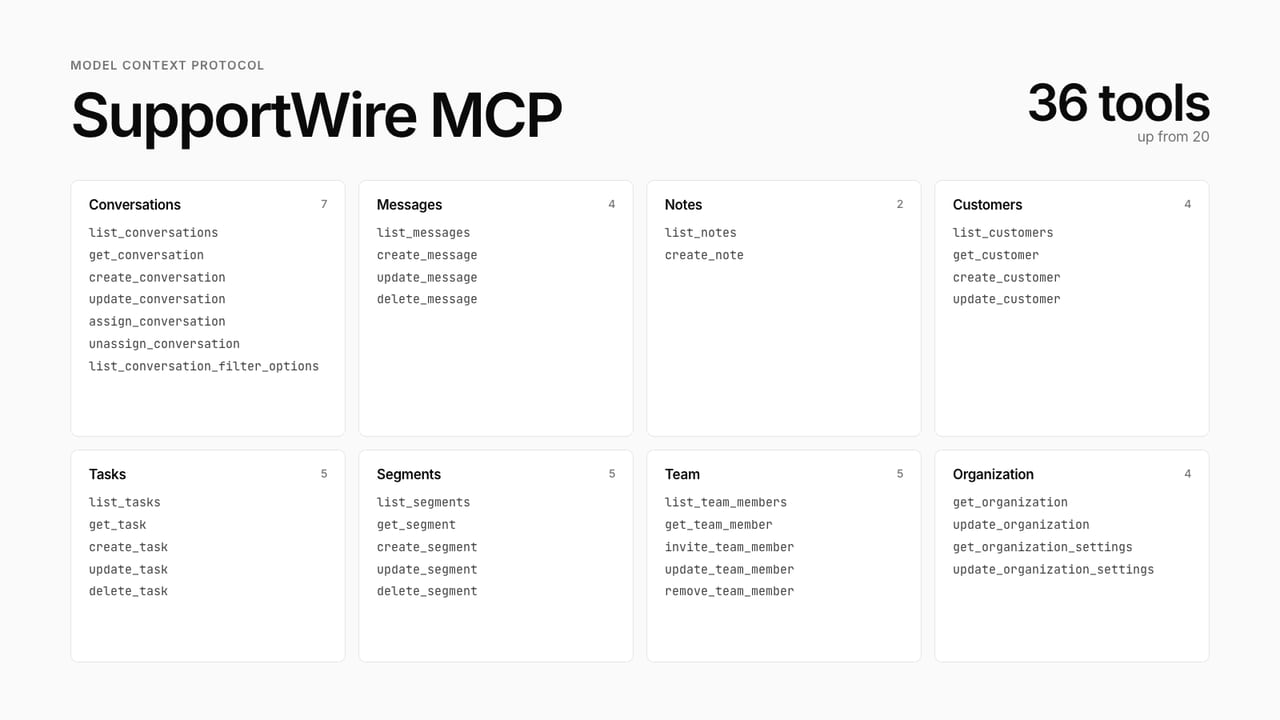
Filters, pagination, notes, tasks and segments for your AI assistant. The MCP server now has 36 tools.
Your AI assistant can now do a lot more inside SupportWire. The MCP server goes from 20 tools to 36.
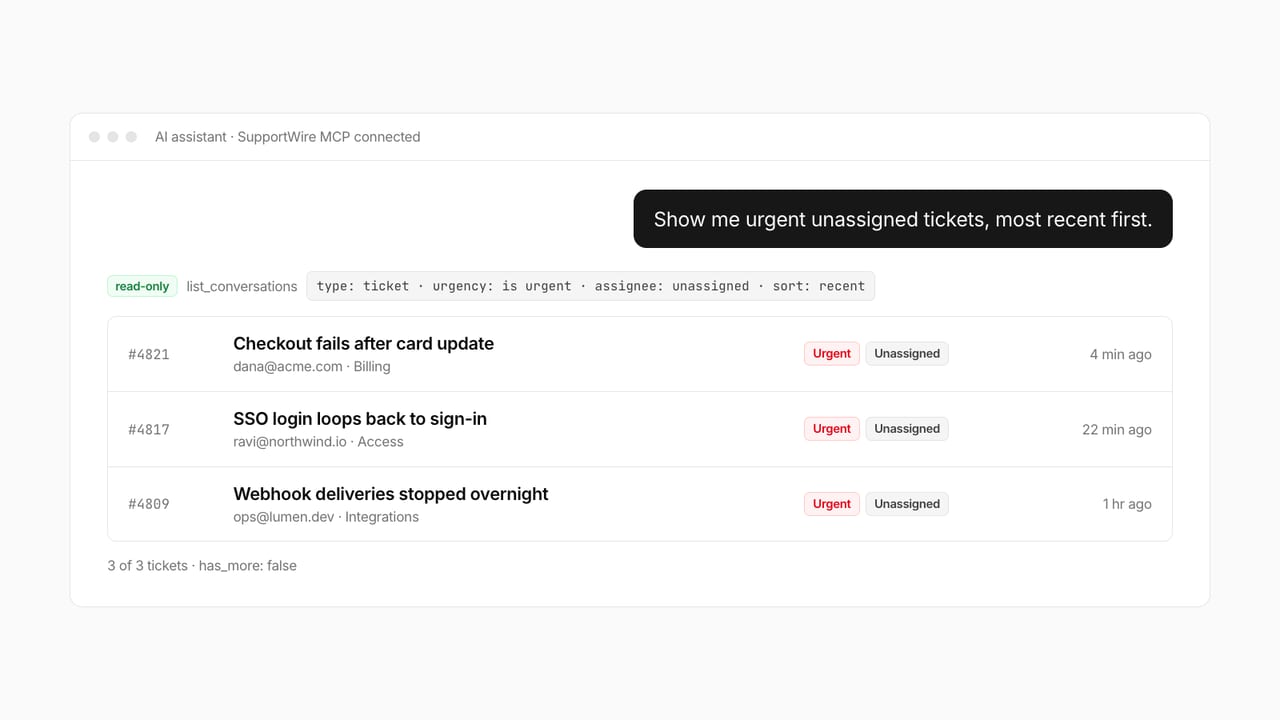
Ask for "urgent unassigned tickets, most recent first" and you get exactly that list. Filters and sorting work straight from the prompt.
What's new
- Filters and sort. List conversations by status, including spam and duplicate. Narrow by chat or ticket, priority and urgency (is, above or below), issue type, tags, group, assignee or unassigned, mentions, and read status. Sort by recent or priority, in either direction.
- Pagination. Every list comes back in pages with
has_moreandtotal_count, up to 100 at a time. Your assistant knows when there's more and stops guessing. - Notes, tasks and segments. Read and write internal notes, work with tasks, and manage customer segments from the same chat.
- Concise or detailed. Ask for the short version when you only need the gist. Faster answers, fewer tokens.
- Clearer tools. Every tool has a title and says whether it only reads or changes something. AI clients ask before anything destructive.
Know what your assistant did
Everything your assistant creates through the MCP is now marked as coming from the MCP in SupportWire. Showing that in the app is coming next.
Already connected? You get all of this automatically. New here? Add the SupportWire MCP server under Developer Settings and ask away.